Email templates
Coming soon emails for shops, studios and launches
A coming soon email tells your list what is about to open or arrive, and the date to remember. Here is when to send one, how to time it, and lines you can borrow.
4 templates, free on every planTemplatesWhen to sendSubject linesQuestions
Coming soon templates
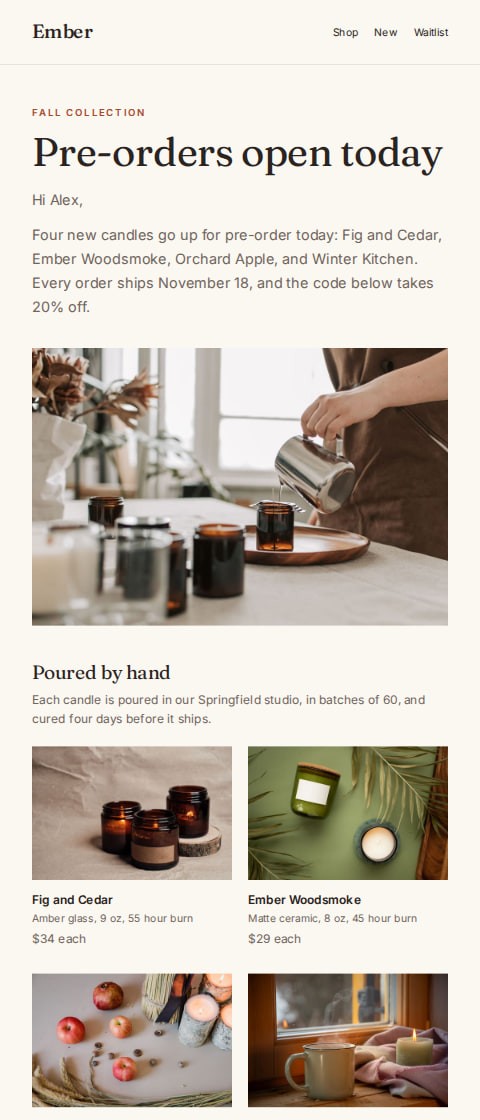
Candle shop
Fall candle pre-order announcement
“Pre-order the fall candles, 20% off”
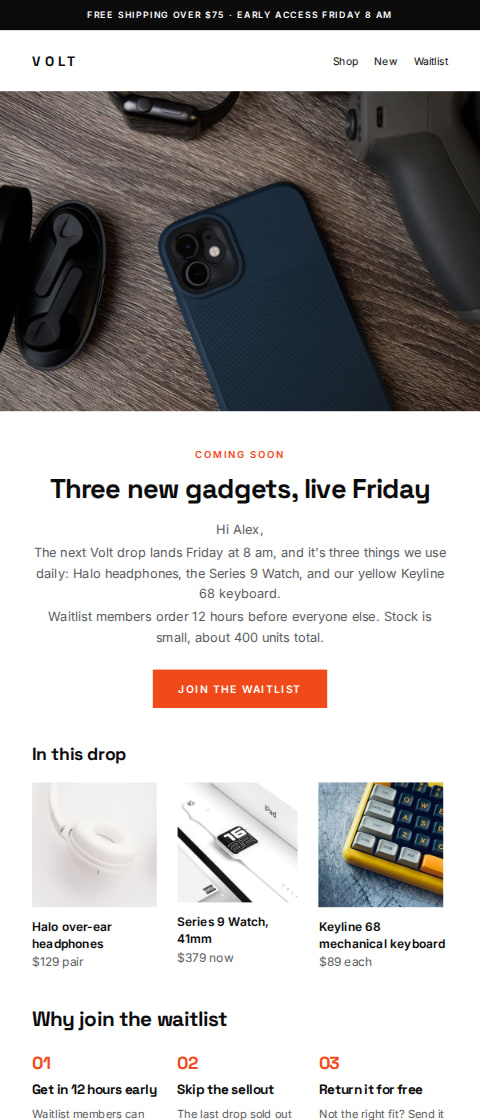
Electronics shop
Coming soon drop announcement email
“The next drop: headphones, a watch, a keyboard”
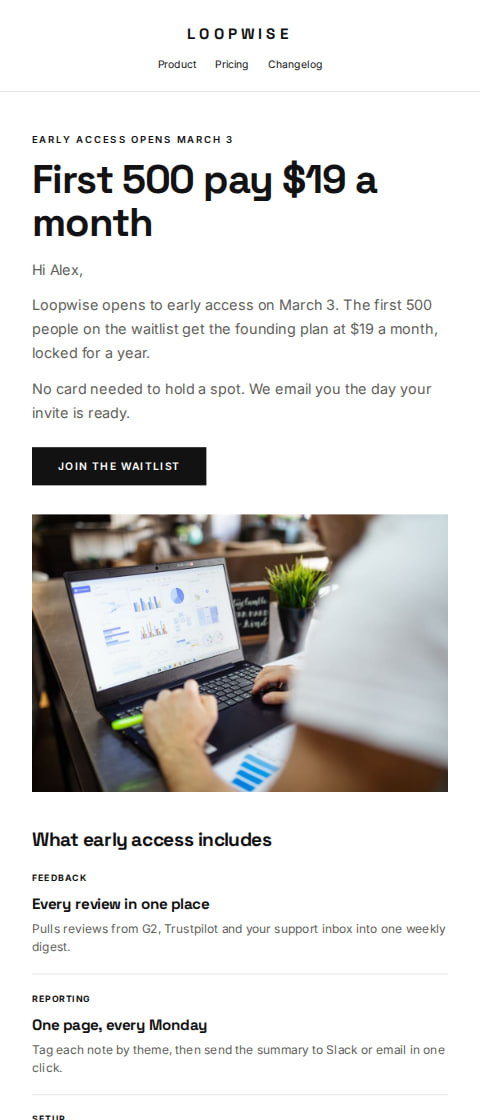
Software companies
Coming soon early access email
“Loopwise early access opens March 3”
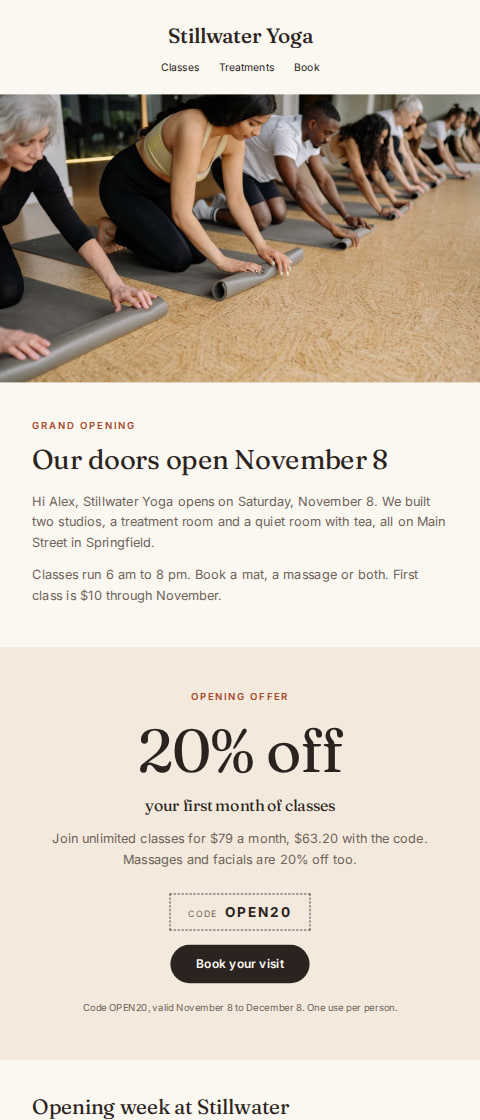
Yoga studio and spa
Yoga studio coming soon email
“Stillwater Yoga opens November 8”
The guide
How to write coming soon emails
When to send it
Send it once you have a date. A new location, a new product line, a seasonal menu, a booking window. If you know the day, you can tell people the day.
Two groups get this email. Your own list, who already buy from you, and people who signed up for a waitlist or an early access list and have not bought yet. Both care about the date more than they care about a pitch.
It also works before a restock or a pre-order, where the point is to take orders now for something that ships or opens later.
Timing
One email is usually enough, sent 3 to 7 days before the date. If doors open on a Saturday, send it the Monday or Tuesday before, when people are working out their week.
A short second note on the morning of is fine for an opening or a first class. Send it to the same list, and keep it to the date, the address and the hours.
Subject lines
Ember9:41 am
New location opens November 8
Ember9:41 am
Our fall menu starts Tuesday
Ember9:41 am
Something new lands Friday
Ember9:41 am
Booking opens Monday at 9
Ember9:41 am
The next batch ships December 2
Ember9:41 am
Save the date: we open March 3
Ember9:41 am
Early access starts soon
Ember9:41 am
New class times go live next week
Ember9:41 am
First look at what arrives in April
Ember9:41 am
Pre-orders open Thursday
How AguMail sends it
A coming soon email is a campaign, and campaigns are on every AguMail plan, Free included. You can send to your whole list, or to a saved segment on Starter and above, right away or at a scheduled time.
Every template in the library is free on every plan. Using one copies it into your account and opens it in the email editor, where you change the date, the words and the pictures. If you want help with the wording, the writing assistant drafts from the business details saved in AguMail, and you read and approve every email before it goes out.
This email is sent as a campaign, to the list or a saved segment, now or at a time you pick. Campaigns are on every plan, Free included.
Common questions about coming soon emails
How far ahead should I send a coming soon email?
Three to seven days before the date suits most businesses. For an opening people need to plan around, give them a week. For a restock, two or three days is enough.
Do I need more than one email?
Usually one is enough. Send a second note on the day if people need to show up, book or log in, and keep it short.
What should the email say?
The date, what opens or arrives, and one detail people need, like the address, the hours or how to order early. Skip the long story about how excited you are.
Can I send it only to people who asked to hear first?
Yes. On Starter and above you can save a segment, such as a waitlist or an early access group, and send the campaign to that segment only. On Free, campaigns go to your whole list.
Is the template free?
Every template in AguMail's library is free on every plan, Free included. There is a 14-day free trial with every feature, and no credit card is needed to start.
Ready to send your coming soon email?
Pick a template, make it your business in the editor, and let AguMail send it.
No credit card to start · 14-day free trial · Cancel anytime
More kinds of email:Abandoned cart emailsAnnouncement emailsBack in stock emailsEvent emailsLoyalty & rewards emailsNewsletter emailsProduct launch emailsPromotion emailsReview request emailsSale emailsThank you emailsWelcome emailsWin-back emails